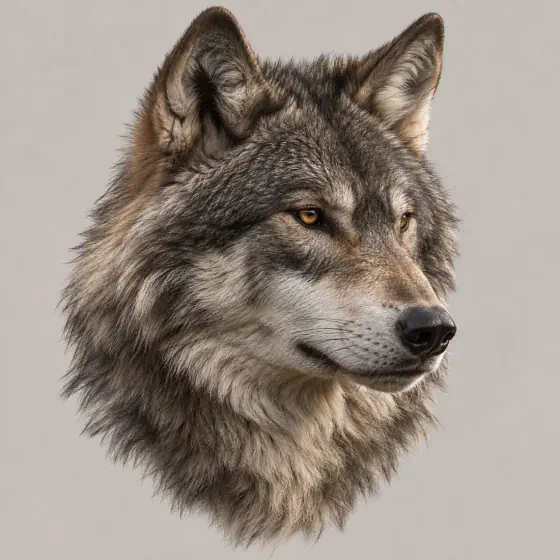
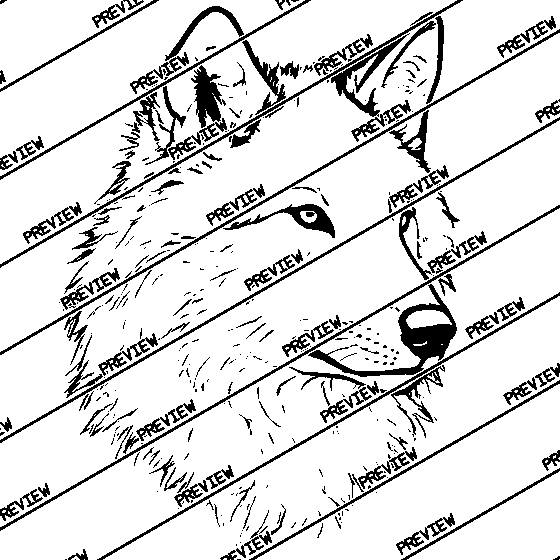
01 / 1:1 overlay check
Overlay the stencil on the photo to check that the features and contours line up.
Compare three stencil styles and size your design for thermal transfer printing.
Photos are held temporarily and deleted automatically.
Single-page PDF at 300 DPI. Print at Actual Size (100%).
Overlay the stencil on the photo to check that the features and contours line up.
Import a Pro transparent PNG as a layer for touch-ups in Procreate.
Tile large stencils across US Letter or A4 with alignment marks in Pro.
Use the ink warning and threshold to keep dark areas from printing as solid blocks.
Start with Clean Outline for bold contours, Standard for the shapes inside them, or Shading Detail for a portrait’s softer edges. Slide between the original and the stencil to see which lines carry the likeness.
Set your print size in inches or centimeters, then mirror when your transfer setup calls for it. Choose a Tiled PDF with Pro to split larger designs across pages with alignment marks.
Review starting print dimensions, mode settings, and transfer linework notes across popular tattoo subjects.
Free previews and one-time credit packs — pay only when you’re ready to print.
$0
See how your photo traces before you print.
$4.99 USD once
$0.50 / design
10 credits · 1 credit per photo
$19.90 USD once
$0.33 / design · Save 34%
60 credits · 1 credit per photo
One credit unlocks one photo. Credits never expire. You can re-export your unlocked stencil for free while the task is available.
Yes. Drop a JPG, PNG, or WebP into StencilTrace to preview three line treatments. Start with Standard for most photos and switch to Shading Detail for eyes, fur, and soft shadows.
Yes. Try three watermarked styles without an account or a credit card. Free AI previews have a daily limit. You can use a Classic outline when the free AI allowance runs out. One credit unlocks the watermark-free print files.
Open the PDF and select Actual Size or 100% in the print dialog. Select the same paper size in the app and printer. Pro Artists can tile larger stencils across pages with trim and alignment marks.
Check the direction your thermal printer and transfer paper produce before printing. Mirror reverses the image left to right, including lettering and asymmetrical features.
Yes. Starter unlocks one chosen style as a white-background 300 DPI PNG and single-page PDF. With Pro, you can export all three styles in one ZIP, choose transparent PNGs, and tile larger PDFs. Re-export the unlocked design while the job is available at no extra charge.
We use the photo to create your stencil. Stencil files and photos needed for an AI upgrade are held privately until the job expires and removed automatically.